Browsing the EU AI Act in the dashboard
For: all
Tier: free+
Time: ~4 min
Why you'd do this
Reading EUR-Lex directly is a tab-soup experience and the structure isn't role-aware — you have to mentally filter Provider obligations from Deployer obligations yourself. The dashboard's browser does that filtering for you, links straight to the verbatim text, and works on any tier (including Free, even before you connect a repo).
Before you start
- Sign in to the dashboard — the browser is gated behind login but doesn't need a connected repo
- Optional: know which role(s) your project plays so you can use the filter (see Concept Primer for role definitions)
Step 1
Click EU AI Act in the sidebar (below Human Gates). The browser opens to an index of 44 articles + 13 annexes. The header shows scope: 44 of 113 articles + 13 annexes covered, with 247 obligations decomposed.
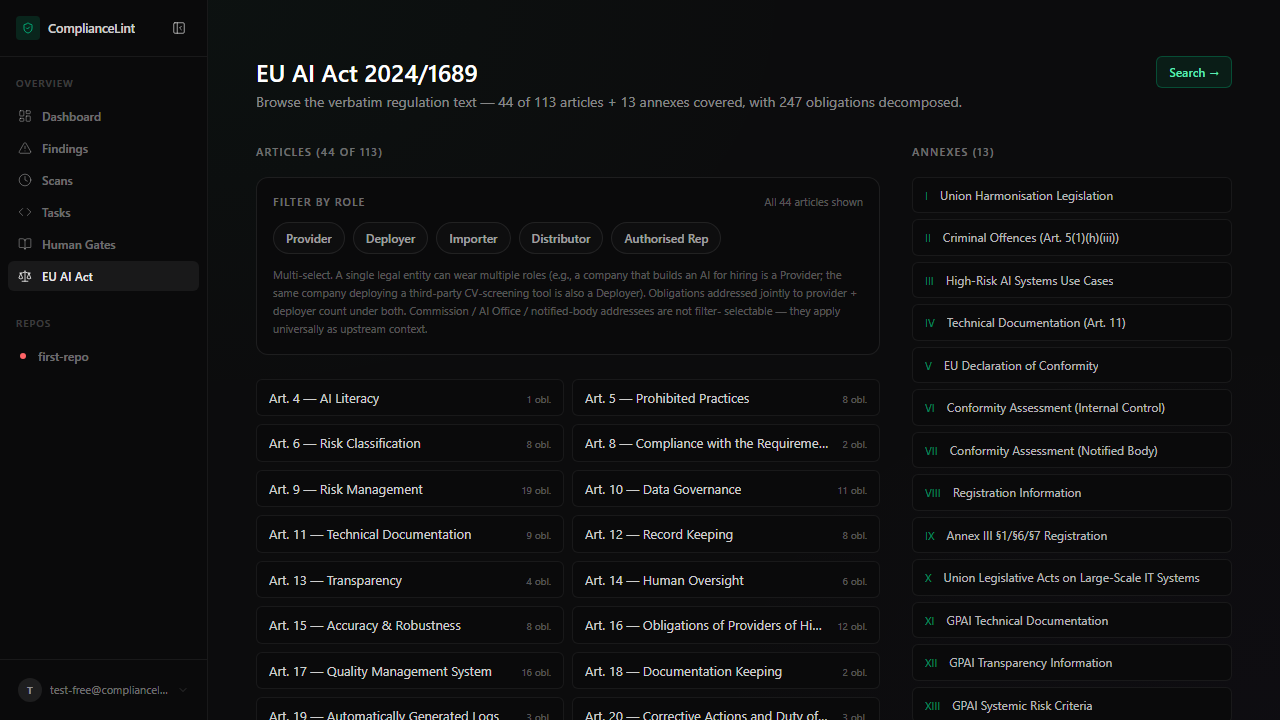
What you'll see: Two-column layout: articles list (with role-filter chips above) on the left, annexes list on the right. Search button in the top-right corner.
Step 2
The six role chips above the article list are a multi-select filter. Tick the role(s) your project plays — the article list narrows to those with at least one matching obligation, and the obligation count next to each article reflects only the matched subset.
Untick all chips to see the full list again. The filter is client-side only, so flipping chips is instant — no page reload.
What you'll see: Six chip buttons labelled Provider / Product Manufacturer / Deployer / Importer / Distributor / Authorised Rep. Selected chips are filled emerald; unselected are outlined.
Step 3
Click any article in the list to open the verbatim viewer. The viewer renders the article text exactly as published in the Official Journal (no paraphrasing) plus the per-obligation decomposition with verbatim source-text quotes for each.
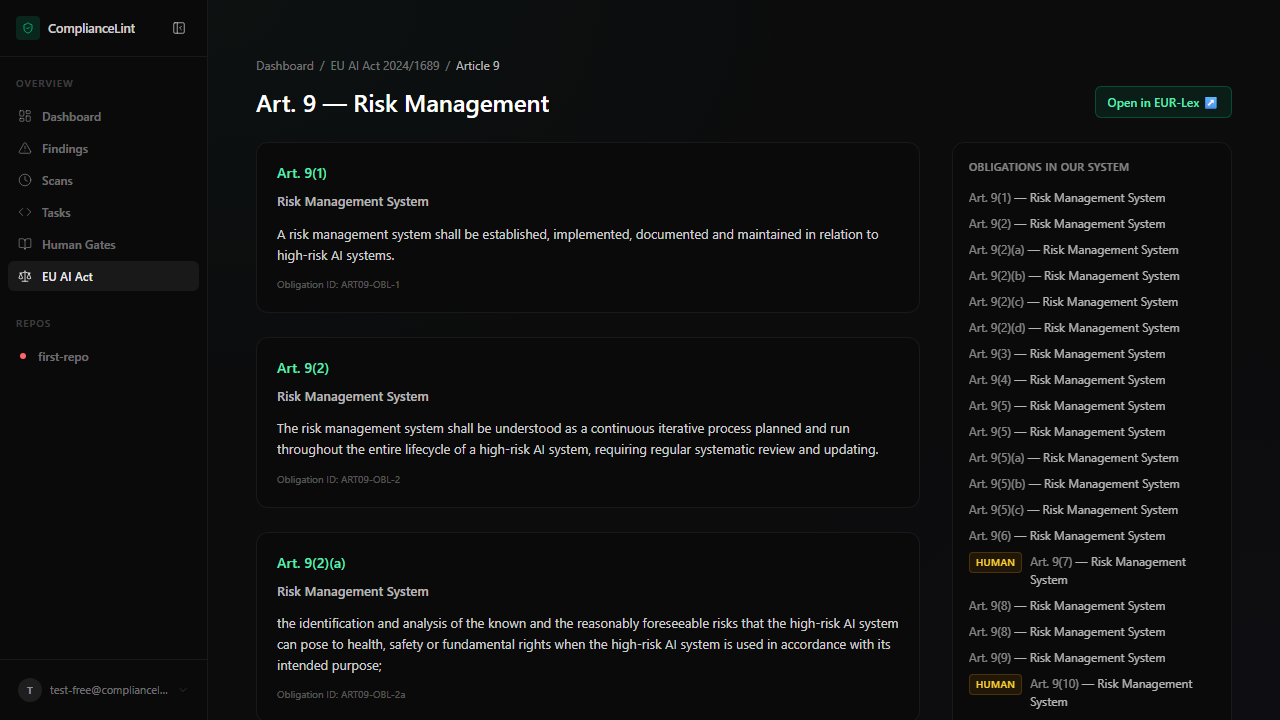
What you'll see: Article header (number + title). Body sections with the verbatim regulation text. Per-obligation cards underneath, each with the exact source_quote extract from EUR-Lex.
Step 4
Click Search → in the index header. The search page lets you do AND-mode multi-word queries across all 247 obligations. Example queries: human oversight, data quality, post-market, provider notify. Results link straight to the matching article + obligation.
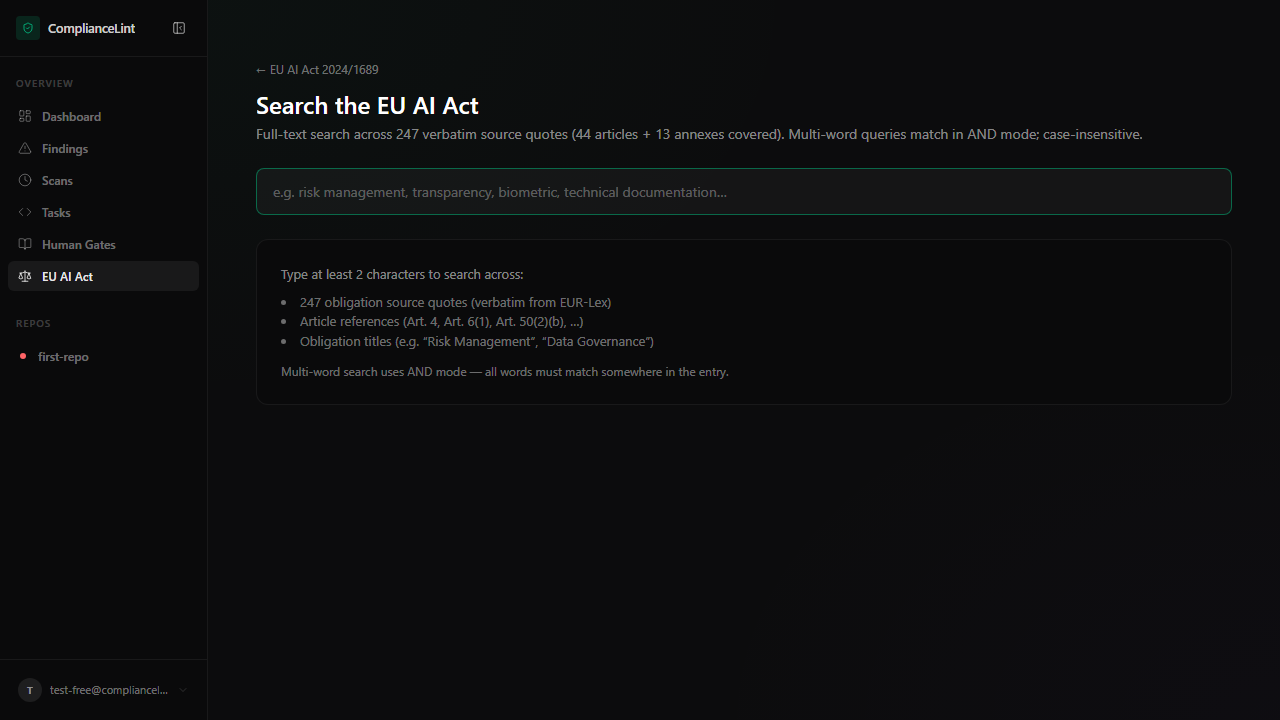
What you'll see: Empty-state by default: search input with placeholder "e.g. risk management, transparency, biometric, technical documentation..." and a help card listing the 4 things it searches across (247 obligation source quotes, 180 Recital source quotes, article references, obligation titles) + a note that multi-word queries use AND mode. Type 2+ chars to see results — each result shows the article number + obligation id + matching source_quote snippet with the search terms highlighted.
Step 5
Why 44 of 113? The full Act has 113 articles, but most don't impose technical obligations on software teams. The dashboard covers the 44 that do (Art. 4–6, 8–27, 41, 43, 47, 49–55, 60, 61, 71–73, 80, 82, 86, 91, 92, 111). The remaining articles define terminology, establish governance bodies, set penalty schedules, or contain procedural / transitional provisions — none of which create scannable compliance requirements.
Not all 44 apply to every project. The role filter (step 2) narrows by role. If you connect a repo and run the Profiling Wizard (Starter+, chapter 17), the NOT_APPLICABLE filter will narrow further based on your repo's specifics.
What you'll see: Conceptual — no specific UI screen. The effect is visible in the scope text on the index page header.
What can go wrong
- Search returns 0 results for a term that should obviously match — Search is exact-substring AND mode. Try removing one term or using a shorter root.
transparencymatches;transparenciesdoes not (no stemming). - An article you expected (e.g. Art. 28 — notifying authorities) is not in the list — Check the Why 44 of 113? paragraph above. Articles defining governance bodies (Art. 28-40) are intentionally out of scope: they don't create obligations on AI providers/deployers, only on Member States.
Related
Last updated: 2026-08-11